Why Is Medicai the Best for Customizable Workflows?
Many radiology teams still switch between three separate tools just to move one study from scanner to specialist. Each hand-off adds minutes and risk of missing files. The friction keeps growing as AI results and outside referrals pile up.
By the end of this article you will see exactly how Medicai's single cloud platform handles retrieval, storage, viewing, and sharing in one workflow. You will know which parts can be configured to match your team's current steps and which parts will stay fixed no matter how imaging volume changes.
What Is Medicai?
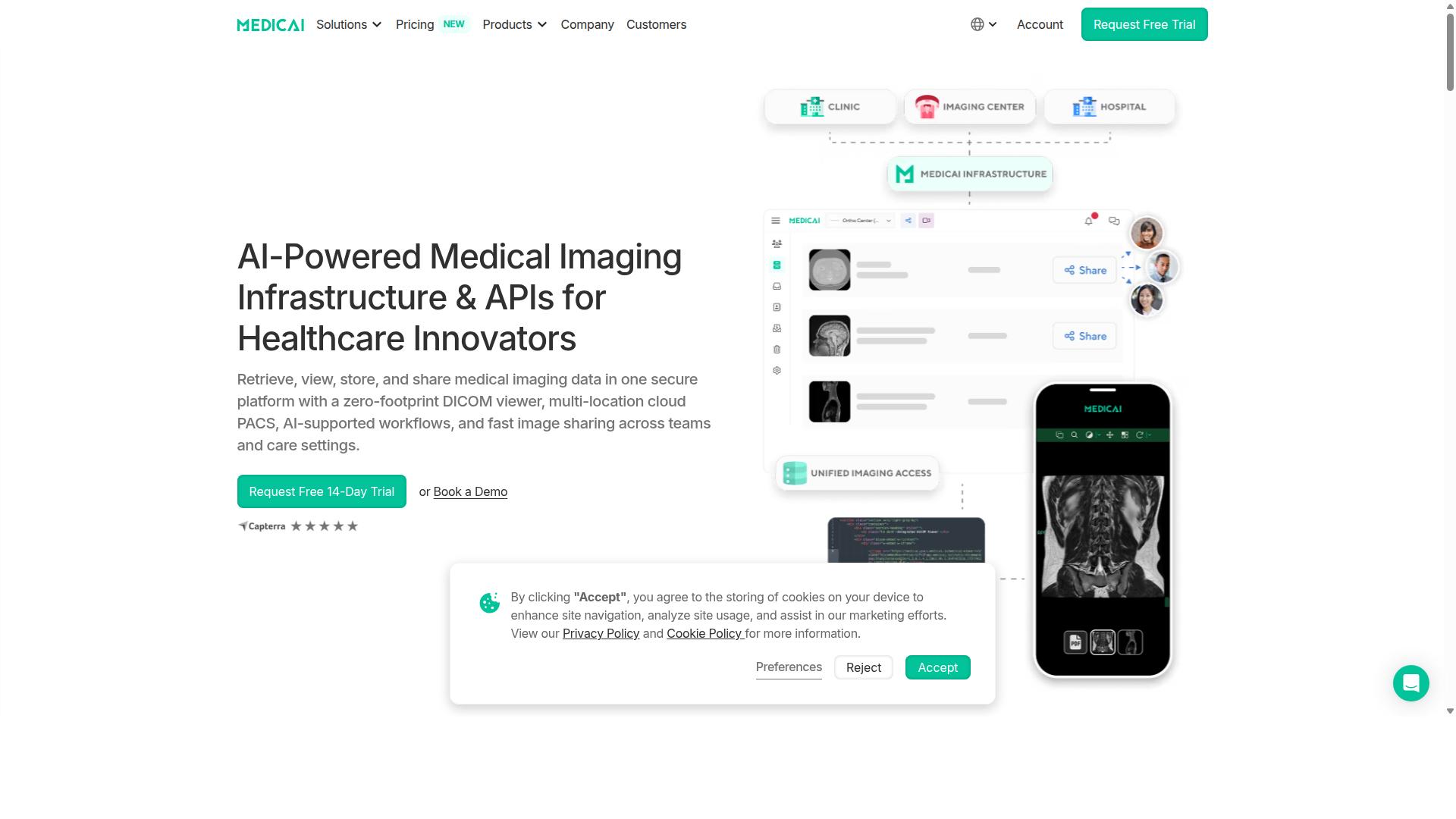
Medicai operates as a zero-footprint cloud platform that lets providers retrieve, view, store, and share medical imaging data from a single interface.
The core service centers on Imaging Infrastructure as a Service. This model supports healthcare organizations that need secure medical imaging access across different care settings.
Three concrete deliverables define the platform. A secure DICOM viewer enables image review without local software installation. The system currently stores 1.7 M studies. Additionally, the platform processes 1 M studies yearly.
These capabilities matter for organizations that require scalable medical imaging infrastructure. The cloud architecture eliminates hardware dependencies while maintaining data security standards.
Why Medicai Excels at Customizable Workflows
Workflow customization in Medicai is achieved through user-defined templates, role-based permissions, and real-time configuration changes that adapt to each department's protocols.
Medical imaging departments need flexibility. Different specialties require distinct data fields, reporting formats, and approval paths. Customizable workflows allow teams to match their exact clinical processes without coding.
Radiology departments often handle diverse case types. A trauma workflow differs from routine screening. Medicai supports these variations through configurable processes that reflect actual practice patterns.
Step 1: Create a Template Once
Radiology teams start by defining a standard structure. The template includes required fields, measurement standards, and annotation preferences for each imaging modality.
A chest X-ray template captures patient history, prior comparisons, and key findings in one place. CT protocols use different fields that match their unique reporting needs and measurement requirements.
Once saved, the template becomes available for immediate use. Staff access the same structure every time. This consistency reduces variation in documentation while maintaining clinical accuracy across all cases.
Step 2: Assign Role-Based Access
Access control determines who can view, edit, or approve each workflow stage. Technologists receive permissions to add images and basic annotations. Radiologists gain access to complete reporting tools and sign-off capabilities.
Department heads review completed studies and modify protocols as needed. Audit trails track every change made by each user role. This structure protects patient data while allowing appropriate staff to complete their assigned tasks efficiently.
Role assignments can adjust based on shift schedules or temporary coverage needs. Real-time configuration means changes take effect immediately without system downtime or IT intervention.
Step 3: Activate Automation Rules
Automation rules trigger specific actions based on defined conditions. A completed chest X-ray study can automatically route to the appropriate radiologist based on subspecialty expertise and current workload distribution.
Critical findings trigger immediate notifications to referring physicians. Follow-up scheduling activates when certain measurements exceed established thresholds. These rules operate continuously without manual intervention.
Rules adapt over time as department needs change. New clinical protocols can be incorporated through updated conditions and actions. This flexibility supports evolving medical practices while maintaining consistent workflow execution.
Key Features and What Makes Medicai Stand Out
The platform groups its capabilities into three pillars that together eliminate fragmented imaging workflows.
These pillars work together to create customizable workflows that adapt to different medical imaging environments. Each section addresses a specific stage of the imaging lifecycle.
Healthcare teams gain interoperability and scalability through this structured approach. The design supports various specialties while maintaining HIPAA compliance and data security standards.
CONNECT & RETRIEVE
Incoming studies are ingested through either the uploader web form or the DICOM Gateway that supports HL7 and FHIR messaging.
The Medical Imaging Uploader handles browser-based upload for files under 2 GB. This path works well for smaller studies that need quick transfer to the cloud platform.
The DICOM Gateway listens on port 104 or 11112 for larger or automated transfers. Both paths support CT, MR, US, PET, and MG modalities through standard DICOM protocols.
This dual approach gives facilities flexibility in how they connect existing PACS systems. Teams can choose the method that matches their current infrastructure and volume requirements.
STORE & MANAGE
All studies reside in a HIPAA-compliant Vendor Neutral Archive replicated across AWS and Azure availability zones.
The Cloud PACS provides immediate access while the Vendor Neutral Archive serves as the long-term repository. Both systems include automated daily backups with 15-minute recovery point objectives.
Disaster-recovery failover ensures continuous availability during outages. Each tool maintains its own retention period based on clinical and regulatory needs.
This storage architecture supports scalability without requiring hardware investments. Organizations can expand capacity as imaging volumes grow while keeping data security intact.
ACCESS, VISUALIZE, COLLABORATE
Clinicians open studies in-browser or on mobile devices, annotate images, record measurements, and share live links with peers.
The DICOM Viewer supports real-time annotation as the first step in collaborative review. Clinicians add notes and markup directly to images during examination.
Step two involves measurement tools for precise image analysis. These measurements become part of the structured reporting workflow available through the Doctor Imaging Portal.
Step three enables live link sharing with colleagues across different locations. Recipients access the same study instance without downloading files locally.
Step four produces audit-trail export for compliance documentation. This record tracks all annotations, measurements, and sharing activities for regulatory review.
Pricing and Plans
Two subscription tiers accommodate clinics and growing hospital networks with transparent monthly fees. Starter and Standard plans give organizations clear entry points based on their current imaging volume and connectivity needs.
Starter costs $249 per month. This tier includes 500 GB of cloud storage, unlimited user accounts, and zero connected locations. Organizations that handle imaging internally without external site connections can use this plan to manage DICOM studies and patient data securely.
Standard costs $749 per month. This plan expands capacity to 2 TB of cloud storage while supporting one connected location. Hospitals that need to link one external site to their main radiology workflow benefit from this upgrade path.
Yearly billing reduces costs by fifteen percent. Starter drops to $209 monthly and Standard drops to $639 monthly when paid annually. Enterprise customers receive custom pricing that scales cloud storage and supports multiple connected locations across different facilities.
A one-time DICOM Gateway setup fee of $1,000 applies per location. The platform includes a fourteen-day trial of Starter features with no credit card required. Enterprise customers may also arrange per-study pricing to align costs with actual imaging volume.
Trust Signals
Compliance credentials and usage metrics demonstrate consistent, verifiable platform integrity. These elements together confirm that Medicai maintains the highest standards for medical imaging platforms.
HIPAA and GDPR compliance ensures patient data remains protected under major regulatory frameworks. These certifications apply to all aspects of the cloud platform operations.
The FDA-cleared viewer provides clinical-grade image analysis capabilities. Healthcare organizations can trust this cleared technology for diagnostic workflows.
Platform usage shows 300k DICOM visualizations completed in the past year. This volume reflects active adoption across 70 clinics and hospitals.
More than 10,000 active doctors rely on the system for daily medical imaging tasks. The platform processes 1M+ studies annually while maintaining these security standards.
Who Should Use Medicai
Hospitals, imaging centers, and specialty practices in ten listed disciplines gain immediate access to enterprise-grade imaging without on-premise servers.
Orthopedics teams benefit from streamlined bone and joint imaging workflows that support surgical planning.
Neurology departments receive efficient access to complex brain and spine studies for faster diagnosis.
Oncology centers obtain organized tumor tracking and measurement tools across multiple patient visits.
Radiology practices work with unified viewing and annotation capabilities that support high-volume reporting.
Cardiology groups handle cardiac imaging sequences with consistent measurement and comparison features.
Ophthalmology clinics manage retinal and corneal studies through specialized display configurations.
Ob-gyn practices review fetal and pelvic imaging with templates designed for reproductive health documentation.
Pulmonology teams access lung imaging studies with consistent measurement protocols for respiratory conditions.
Dentistry offices review maxillofacial scans with display settings suited to oral health assessments.
Gastroenterology specialists obtain digestive tract imaging organized for procedural planning and follow-up.
Final Verdict
Medicai delivers measurable workflow gains for any provider seeking scalable, compliant medical-image management. Organizations gain customizable workflows through native configuration options that adapt to specific clinical environments without disrupting existing processes.
The platform supports medical imaging needs across multiple specialties while maintaining HIPAA compliance and secure data handling standards. Built-in flexibility allows teams to define templates, annotations, and role-based access controls that align with their operational requirements.
Providers in the United States can reach Medicai at +1 (832) 220 1035. Teams in Romania can contact the company at +40 316 305 875. Organizations ready to schedule a deployment review may email [email protected] to begin the evaluation process.
Recommended Resources: